Backblaze Performance
BioTeam’s Backblaze 2.0 Project – 135 Terabytes for $12,000
- Part I – Why you should never build a Backblaze pod
- Part II – Why we built a Backblaze pod
- Part III – Our real-world Backblaze pod costs
- Part IV – Backblaze pod assembly & integration pictures
- Part V – Backblaze Performance (this post)
- Part VI – Backblaze pod software & configuration (future post)
- Part VII – Backblaze pod ongoing impressions (future post)
Initial Performance Data
Why we hate benchmarking
Before we get into the numbers and data lets waste a few bits pontificating on all the ways that benchmarking efforts are soul-destroying and rarely rewarded. It’s a heck of a lot of work, often performed under pressure and after the work is done it turns out to never be enough. You will NEVER make everyone happy and you will ALWAYS upset one particular person or group and they will not be shy about telling you why your results are suspicious, your tests were bad and your competence is questionable.
That is why the only good benchmarks are those done by YOU, using YOUR applications, workflows and data. Everything else is just artificial or a best-guess attempt.
A perfect example of “sensible benchmarks” can be found on the Backblaze blog pages where the authors clearly indicate that the only performance metric they care about is whether or not they can saturate the Gigabit Ethernet NIC that feeds each pod. This is nice, simple and succinct and goes to the heart of their application and business requirements — “can we stuff the pods with data at reasonable rates?” – all other measurements and metrics are just pointless e-wanking from an operational perspective.
For this project we, and our client have similar attitudes. The only performance metric we care about is how well it handles our intended use case.
SPOILER ALERT:
It does. The backblaze 2.0 pod has exceeded expectations when it comes to data movement and throughput. We get near wire-speed performance across a single Gigabit Ethernet link. Performance meets or exceeds other more traditional storage devices used within the organization.

Credit: Anonymous
In the interest of transparency, we are just passing along performance figures measured by the primary user at our client site. We wish we did the work but in this case we get to sit back and just write about the results. Our client still prefers to remain anonymous at this point but hopefully in the future (possibly at the next BioITWorld conference in Boston) we’ll convince them to speak in public about their experiences.
Network Performance Figures
For a single Gigabit Ethernet link the theoretical maximum throughput is about 125 megabytes per second if one does not include the protocol overhead of TCP/IP. Online references suggest that TCP/IP overhead without special tuning or tweaking can be about 8-11%.
This means we should expect to see real world performance slightly under 125 megabytes per second for TCP/IP devices that can saturate Gigabit Ethernet links.
This is what was found:
- Client/server “iperf” performance measured throughput at 939 Mbit/sec or 117 megabytes/sec
- A single NFS client could read from the backblaze server at a sustained rate of 117 megabytes/sec
- A single NFS client could write into the backblaze server at a sustained rate of 90 megabytes/sec
The performance penalty for writing into the device almost certainly comes from the parity overhead of running three separate RAID6 software raid volumes on the storage pod.
Our basic conclusion at this point is that we are happy with performance. With no special tuning or tweaking, the backblaze pod is happily doing it’s thing on a Gigabit Ethernet fabric. The speed of reads and writes is more then adequate for our particular use case and in fact the speed exceeds that of some other devices also currently in use within the organization.
Here is the iperf screenshot:

Backblaze Local Disk IO
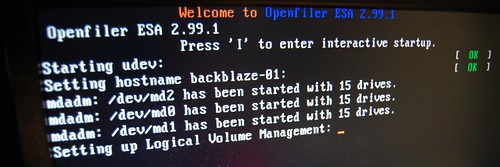
We still need to put up a blog post that describes our software and server configuration in more detail but for this post, the main points about the hardware and software config are:
- 15 drives per SATA controller card
- Three groups of 15-drive units
- Each 15-drive group is configured as Linux Software RAID6
- All three RAID6 LUNs are aggregated into a single 102TB volume via LVM
Local disk performance tests were run using multiple ‘dd’ read and write attempts with the results averaged. Tests were run while the software RAID6 volumes were in known-good state as well as when the software RAID system was busy synchronizing volumes.
The data here is less exciting, it mainly boils down to noting that there is an obvious and easily measurable performance hit observed when the software RAID6 volumes are being synced.
What was observed:
- We can write to local disk at roughly 135 megabytes per second
- We can read from local disk at roughly 160-170 megabytes per second when software raid is syncing
- We can read from local disk at roughly 200 megabytes per second when the array is fully synced
Conclusion
We are happy. It works. The system is working well for the scientific use case(s) that were defined. It’s even handling the use-cases that we can’t speak about in public.
Conclusion, continued …
Performance out of the box is sufficient that we intend no special heroics to squeeze more performance out of the system. Future sysadmin efforts will be focused on testing out how drive replacement can be done most effectively and other efforts aimed at controlling and reducing the overall administrative burden of these types of systems.
Based on the numbers we’ve measured, we think the backblaze could be comfortable with something a little bit larger than a single Gigabit Ethernet link. It may be worthwhile to aggregate the 2nd NIC, install a 10GBE card or possibly experiment with TOE-enabled NICs to see what happens. Not something we plan to do with this pod, this project or this client however as the system is (so far) meeting all expectations.
Filed Under: Employee Posts

This has been a great series of posts! I’m looking forward to the rest of them. We have been looking into this for our Tier 2 storage as well, and have many of the same reservations you had. I would be interested to know how much admin time this has created for you guys, as well as your drive failure rate. Being in an Advertising agency, we deal with lots of huge files. Both images and video. We would be looking to the Backblaze to be our tier 2 read only solution having 2 units replicated between 2 sites. I was even just thinking of running Windows 2008R2 and using DFS to replicate. But there are lots of options.
Keep the posts coming!
This is a great series of posts, breathing some fresh life into the backblaze project. The most important part is the pipe saturation, which I am glad to see maxes the connection. If you guys ever get the chance, you should try link aggregation!
Also, I’m wondering if anyone would consider buying a full pod (minus drives) for anywhere between $3500 to $4000 USD with free worldwide shipping? I know its hard for some people to get certain parts in different areas of the world. I have three available that I built for a project, but the client cancelled. Let me know in the reply section. Thanks!
OK, I’m going to hate, I’m afraid.
Backblaze seem to have pulled off a good PR stunt with this, apparently releasing their crown jewels to everyone’s benefit. What good guys.
Of course, as these posts point out, backblaze’s secret sauce is in their storage allocation software of course.
But more disengenuously, it’s also in their hardware sourcing. Let’s face it, this hardware configuration is utter amateurish rubbish by any conventional benchmark. The thing that makes it useful to backblaze is the penny-pinching price. And guess what, that price is only available to backblaze, or possibly someone else asking for similar volumes. Come on, even the metal case is sold to the rest of us at $850, vs the $150 that backblaze claim to pay.
So, what backblaze have released here is of limited value to anyone else, actually.
For example, I’ve just been looking at some mid-tier 2,3,4U chasis that have lots of disk bays, and I can put together a MUCH more professional system (dual redundant PSU, hot-plug fans, disks in hot-plug trays, etc, etc, etc) for substantially less than the $12000 “everyone else” price that the amateurish backblaze pod costs. Sure, it’s more expensive than what backblaze pay, but not by very much.
I agree with some of your comments but will push back on the “limited value” comment – our backblaze is in production use today at a biotech company and it has proven it’s value in just a few short weeks.
If you can propose a 45-SATA-disk enclosure with better quality (and more redundant) hardware I’m sure the community would be greatly interested, please post your config! There are lots of better 2/3/4U enclosures out there on the market but I’m still looking for one that lets me deal with 45 drives AND keeps the price reasonably close to the $12,000 range.
–Chris
The Chenbro RM91250 holds 50 Drives and the chassis is ~$3000. Add motherboard and SAS HBA.
The vertical density is not as good (9U vs 4U) as the backblaze, but it does offer hot swap (and accessible), 4-way redundant psu, SAS expanders, …
No shilling for them, just a product I saw in my recent research.
Most HBA cards from ATTO, Areca, Intel and others can support on the order of 256 drives if you supply chassis with SAS expander backplanes, which can be daisy-chained.
I’m not sure that this really ends up more expensive than the Backblaze option, at least to the average buyer.
What about this supermicro case with sas connectors, dual power supply etc?
http://www.supermicro.com/products/chassis/4u/847/sc847e16-rjbod1.cfm
45 disks in 4U.
This looks quite interesting. I wonder what would happen if you ran FreeBSD (or FreeNAS) ZFS on it and used RAID-Z2 (or Z3, etc).
I’m considering this for home usage, eventually. I’d like to stuff my rather large collection of Bluray, DVD, LD, and VHS/SVHS.. not to mention family photos (18+mpxls each) on a large fileserver like this and keep the originals locked away.
Hi James – I’ve got a ton of home-based NAS storage and after dealing with “DIY” or “hassle-free” I ended up with iSCSI and NAS units from drobo.com to satisfy the personal and home-office needs. I’d only recommend the backblaze type methods if you really need 100TB of potentially single-namespace storage! Otherwise there are smaller, more power efficient and easier to manage devices that handle the 2TB to say ~30TB use case. –Chris
Hey Chris,
What a great post, I m setting up a backblaze configuration based on Windows server 2008 st edition, but with the performance of 8 MB / sec it’s not acceptable to put in production.
Do you have any experience with this?
i’m really curious about your next post :Backblaze pod software & configuration, when can i expect this?
gr
Hi,
Great post! Keep up the good work!
Can you share with me on how you manage the harddisk vibration?
Thanks!
No real vibration issues or failures to speak of right now, the pod “kit” came with all of the mounting and offset hardware needed for the drives. –Chris
hasn’t the future come yet?
Need to know about “Part VI – Backblaze pod software & configuration (future post)”.
Curious to hear how the rest of this went.. any chance those last two blog posts are coming to finish off the series?
Just some thoughts as we’ve (meaning I’ve) built 2 and I’m on #3. The first was from Protocase, with everything except drives. #2 was all me.
One of the real sticking points for us was power. The custom wiring hardness in my mind is beyond crazy. If you lose a PSU you are hosed for as long as it takes you to get another (if you don’t already have a backup, which means you need two since they are different –$1,000 in parts sitting there….).
If you want to call it a wiring hardness fine, but to me is was just a bunch of connectors… 10 drives (4 connectors) per line to a psu. 25 drives on one, 20 drives on another. (toyed with the idea of 1 PSU with staggered spinup – no doubt a good PSU would be able to handle the power once the HDDs are spinning). Anyway, used Corsair Gold PSUs, which are modular. If one dies, it’s a simple swap. And even if I need to use another brand PSU, no big deal, since I’m ending the run with standard 4-pin Molex (peripheral) connectors, and PSU will do .
What exact PSU did you guys use? Where did you get the extra wires and connectors? Did they come with the PSU?
It sounds like you are for the DIY method rather than buying it fully assembled from Protocase. Just curious what your thoughts are. I’m thinking of going the DIY route but wanted to hear another opinion.
whoops, forgot one thing….. I’m using an off the shelf connector that starts both PSUs at the same time, that way I don’t need to be on site for the “sequential” power up/down. I should also have mentioned that these pads are on a data center with plenty of available power.
so…what if you put a 10GbE on there?
Roger – I’m not 100% sure as it’s been a while since I was hands-on with the hardware but I think the free PCI slots were consumed by the SATA expander cards and even then due to the specific motherboard I’m not sure if we had a PCI slot capable of fully using the 10GbE NIC. Also the end-user had not built out a core 10-gig network at the time
Is your pet disk unit still up and running?
I wonder about vibration issues over time, since once one drive starts to get wonky it could differ it’s resonance from all of it’s buddies. Eventually a microscopic difference blossoms into a massive distortion as differences ripple through adjacent units adding a salt each time… millions of rotations an hour.
Play screeching from 5 cats simultaneously and you’ll see what I mean. This whole contraption would probably be more robust in the long term with some buffering between drives. I don’t see that, although I guess you could lose 15 drives and still come out ahead of the price curve.
Jay – excellent timing! The user had internally estimated that MBTF figures would probably mean a failure every ~2 years and they just had their first disk failure right in the middle of that period.
They are now dealing with the hassles of a long and slow software RAID rebuild process (multiple days) but this was also something they had down on the list of “known risks…”
I hope to get an update post up with feedback from the user on how the system has performed over the year. Maybe an email Q&A that I can publish here as an update
I do supply these in South Africa i cloned the design of the case, and made my first 50 cases and works perfectly, i retail them for $80 in any colour you wish i coulld also provide the backplanes for you @ $38 each i am prepared to ship at minimum quantities of 10 units per order
paul@mymultimediatv.co.za
Feel free to contact me via mail and ill give you all the info
Hello everyone,
I am curious as to whether anyone has published or built a higher-spec pod (such as described by Jack, in an earlier post). I am thinking along these lines:
Dual power supplies with redundancy and failover
Higher memory spec (up to 16 or 32 GB)
Multiple NICS (up to 4)
10 Gbe NICs
etc.
Any ideas, does Protocase (or anyone else) have something?
Thanks
A sales rep from Protocase actually contacted me yesterday to say that they now have a redundant power-supply option along with support for dual boot/OS drives.
Honestly I think for higher spec (and higher cost) servers people are using some of those new supermicro boards in dedicated enclosures (ie the stuff at http://www.siliconmechanics.com etc.). There still seems to be a good market niche though for ultra-cheap pods that have moderate amount of resiliency but are still designed to be used in special deployments like cloud object stores where 3x replication is the baseline norm. My $.02 –Chris
If you guys want to push the “cheap” solution one step further, I’ve found this great computer racking for dirt cheap and it works !!!
People have discovered that IKEA Lack coffee tables are exactly the right width to support a 4U enclosure like the backblaze pod (or any computer equipment really) and now it has become viral as well. The call it the “LackRack”.
http://wiki.eth-0.nl/index.php/LackRack
There are cheap alternatives for everything out there.
It’s just funny to watch them (Backblaze) go to such lengths to build something so low grade when a professional solution doesn’t cost much more at all. The right way to do this is with SAS backplanes, 24 drives on a card. Supermicro sells them (standalone) or of course installed in their JBOD cases. And imagine that, they have proper redundant power supplies!! A proper LSI SAS HBA can address 512-1024 devices. It’s really quite silly of them to put a computer into every case. A 2U or 3U head node with 4-8 storage units attached would be a lot smarter. And real men use Gluster.
The Supermicro JBOD case doesn’t breath very well so I like to score HP’s MDS600 chassis which is 70 drives in 5U for ~$1500. Has 2 shelves that can be pulled out at any time, keeps things chilly and I can even run dual SAS interfaces if I want. It has warts; you’ll need a HP controller to patch the firmware (must!), can’t be daisy-chained, nor zoned without an HP SAS switch. If you want a daisy-chainable and zonable SAS6 chassis of 60 drives in 4U there are a couple of professional suppliers but the case w/o drives will run you $7000.
I’m a fan of Gluster except at extreme scale. I’ve seen data loss and systemic failures in the past at about the 1PB level –Chris