Pick Your Path: Highlights from Allie Fowler’s SC26 Presentation
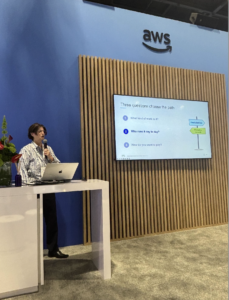
On Thursday, November 19, Allie Fowler of BioTeam spoke at the AWS booth theater at SC26 in Chicago. Her talk addressed a question scientific teams often bring to BioTeam: where should this workload run on AWS?
Two starting points
Allie outlined two paths. A production pipeline that runs the same way every time may be a good fit for AWS HealthOmics, which scales to zero between runs and removes the need to manage the underlying infrastructure. A research computing group whose scientists submit Slurm jobs throughout the day can keep Slurm on AWS Parallel Computing Service (PCS) while AWS manages the controller.
For licensed software spread across multiple queues, such as computational chemistry applications, start by counting the queues. PCS may be the right fit if the configuration falls within its limits. Otherwise, consider AWS ParallelCluster.
The right choice depends on how scientists work, who manages the infrastructure, and what the workload needs to run reliably.
Check before you commit
Allie focused on what teams should check before migrating. For HealthOmics, that includes porting effort, data location, engine support, pipeline ownership, network access, and service quotas. For PCS, it means queue and node group limits, custom Slurm settings, controller sizing, monitoring, accounting, and total cost.
She shared examples from BioTeam projects where overlooked details caused problems: a protein tool that failed because it couldn’t download model weights without internet access; an unexpected run-start quota in a new AWS account; Slurm clusters that purged their own job history; and a license configuration string that exceeded the PCS limit by 254 characters.
In that last example, a licensed modeling suite required a 1,278-character license configuration, exceeding the original PCS limit of 1,024 characters. BioTeam brought the use case to AWS, which subsequently raised the limit to 2,048 characters.
Explore the full field map
For more details from Allie’s presentation, visit bioteam.net/sc26. You’ll find an interactive tool to help choose a starting point for your workload, technical checklists for AWS HealthOmics and PCS, commands to check your Slurm job history, and related BioTeam case studies.
Thank you to AWS for hosting BioTeam at SC26 and to everyone who attended Allie’s session.