
Someone on your team needs an answer your organization already has. It sits in a report from a past project, a slide deck on a former colleague’s laptop, or a folder in someone’s personal drive. After enough searching, they give up and start from scratch.
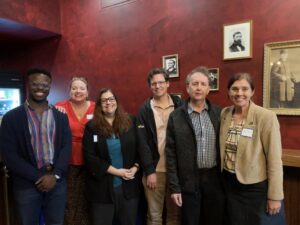
BioTeam was in the same position. Our domain knowledge lived in SOWs, reports, slide decks, Jira, Confluence, GitHub, Slack, and people’s heads. As Brian Osborne explained in his lightning talk, that setup was not working efficiently. The knowledge existed, but it was difficult to search. Consultants and business staff ended up re-solving problems colleagues had already solved, simply because they could not find the earlier work.
So we built a way to find it. At the October 15 AWS Roundtable in Boston, Brian walked through the AI-assisted system Chris Dagdigian created so the whole company could reach what BioTeam already knew. The talk was titled “Fast path to your data: RAG + MCP in practice.”
A year of moving files
Most of the hours went into work done before any of the agent work started. We spent about a year collecting files and folders from Dropbox, personal drives, and laptops into one shared Google Drive called the BioTeam Project Archive. Along the way we matched engagement names to the financial data in our tracking system, separated proposals from projects, and removed videos and other identifying media. We ran semantic and statistical queries with Google APIs and Python scripts, and used BERT to add metadata files tagging each project folder by client, project type, and subject matter.
That first version had gaps. Metadata describing the science, technology, people, and organizations was often missing. Computing and queries were throttled. Access through Gemini did not work well, and better chatbots were available to us through our Anthropic subscriptions. We also needed MCP (Model Context Protocol) access, for security and so that both people and agents could use the archive.
What we built
The new pipeline starts by listing every file and removing any that contain credentials. From there it processed about 95,000 files, 147 GB in all, using parsers for 82 file types. An LLM classifies each file from its name, extension, and a sample of its content, and twelve controlled vocabularies keep those tags consistent across organization type, engagement type, scientific domain, and more. A SQLite inventory in AWS handles faceted search and document clustering, and a Chroma vector store in AWS, paired with a BM25 keyword index, handles semantic and keyword search. People use a browser view, and agents query the archive through MCP.
Today the index covers 346 engagements, 206 client organizations tagged by sector, and nearly 5,900 deliverables, more than 1,100 of them assessment reports.
What people ask it
Some questions are technical. Which projects recommended migrating to Slurm from Grid Engine, LSF, or Torque? Which involved AMD GPUs? Which focused on cryo-EM? Others come from the business side: who our repeat customers have been over the last five years, what training engagements we have delivered, and when we last spoke with a particular contact. Answers link back to the source files in the archive.
One line from Brian’s slides sums up the design: MCP uses both structured (RAG) and parametric (model) knowledge. The agent draws on what the model already knows and on BioTeam’s own engagement records.
Where does your organization’s answer to “have we done this before?” live today?