Two questions, one desk
Two questions now land on every leader’s desk. Staff want to know if they can use AI. Clients want to know if you’re using it on their data. At BioTeam we hear both constantly, because clients hand us their infrastructure, their documents, and sometimes their staff’s candid opinions in assessment interviews.
We cannot answer either question with a shrug, and we cannot answer one at the expense of the other.
This piece covers how we adopt AI in a measured way without slowing our people down, with examples from our own team.
Two pressures, and what the room told us
Our people want in. Our consultants are already building their own AI tools: a curated HPC knowledge base, a searchable archive of ten years of projects, and Claude Code for cloud infrastructure work.
Our clients want protection. Assessment interviews carry confidential opinions. Workflows may contain trade secrets. Some contracts ban or limit AI and LLM tool use without written permission.
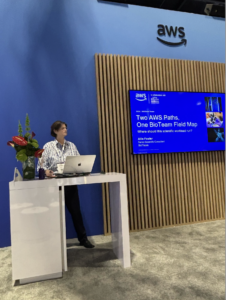
We polled the roundtable audience on two questions during the talk.
- Biggest blocker to AI adoption. Of 15 respondents, 5 named data privacy, 4 named cost, and 3 named unclear policy. Leadership and skills trailed.
- A written AI use policy. Of 12 respondents, 4 said they have one and everyone follows it. Another 2 have one that many people ignore. The other 6 said no policy yet (3) or one still in progress (3).
Eight of 12 respondents either had no policy or had one that people work around. When a policy is missing or ignored, people still use AI, just out of sight. The leader’s job is to make the safe path the easy one.
1. Give AI a home, not a ban
We built three structures, and each one does a different job.
- An AI user group, open to everyone. People share what works and pitch ideas. Our project archive started as a request in this group.
- An AI working group. It reviews tools, policy, and cost together, and aligns with n²Group so every company in the group can share standards.
- One platform for client work. Client work runs on a commercial Claude plan whose terms exclude our inputs and outputs from model training.
A group-wide AI use policy backs all three. It includes an approved tools list and a way to request new tools and connectors.
2. Draw clear lanes for data
Every person on the team should know where a piece of data can go without calling legal. We use three lanes.
| Lane | What it covers | Where it can go |
|---|---|---|
| Open | Public documents, sanitized lessons learned, our own code | Any approved tool |
| Controlled | Client documents and interview material | Enterprise tools and access-controlled folders only |
| Closed | Credentials, secrets, patient data | Never into an AI tool |
Our project archive shows the lanes at work. It turns ten years of engagements, roughly 95,000 files, into a catalog our team can search by sector, science domain, and tool. Before we indexed anything, scripts scanned the files for old keys and tokens and moved every hit to a quarantine folder for a person to review. The whole system sits behind company single sign-on.
3. Define accepted use, task by task
We wrote down which tasks AI can help with and which tasks stay with people, for the two kinds of work we do most.
Assessments
AI can help with:
- First-draft interview summaries, each checked against the transcript
- An evidence register that links every claim to a source
- Cross-checking client documents against what we heard in interviews
- Sweeping drafts for unsourced or identifying language
AI stays out of:
- Making the findings or recommendations
- Using Zoom auto-summaries as evidence
- Quoting confidential or non-attributable input
- Any use the client contract has not cleared
Technical and coding work
AI can help with:
- Drafting Terraform, Ansible, and scripts
- Read-only reconnaissance, with every output kept as evidence
- Root-causing job failures from logs
- Building and testing in a sandbox account first
AI stays out of:
- Agents acting without step-by-step approval
- Any setup where an agent can read credentials or keys
- Pushing to a client repository before screening
- Merging AI-written code without a second reviewer
In both lists, AI drafts and checks, and a person makes the call. When a contract is silent or restrictive on AI, we ask the client first. Our assessment reports now close with a short “BioTeam Use of AI” section: which tool, on what terms, what it did, and who checked it.
The tensions we have not solved
We have not settled every question. In four areas, safety and innovation still pull in opposite directions, and we revisit them as the tools change.
| Area | Safety pulls toward | Innovation pulls toward |
|---|---|---|
| Human review | Approve every command and check every AI summary against the source | Approval fatigue turns review into a rubber stamp, and checking eats the time AI saved |
| Our archive | Scrub client names and outcomes before anyone can query them | Real names, people, and outcomes are what make the archive useful |
| Agents in our inbox | Keep agents out of email, Slack, and calendar, and approve every action by hand | An agent that reads all three can draft proposals, time entries, and follow-ups in minutes |
| Agents on client systems | Read-only access, with a BioTeam engineer approving every command | The agent that found a cluster problem could have fixed it overnight, if we let it |
AI makes us faster, not fewer
Someone always asks whether AI is taking jobs. Here is what we see on our own team.
AI takes the first draft. It writes interview summaries and a first pass at synthesis with evidence attached. It writes boilerplate Terraform and scripts, helps troubleshoot code, scans ten years of files for old passwords, and drafts time entries and status updates. Nobody joined BioTeam to do those tasks.
In return, our consultants spend more time on the parts only people can do. They make the call on findings and recommendations. They sit across from clients and build trust. They check, test, and own every result. And they finally reach the hard problems we used to run out of time for.
The people getting the most from AI are the ones writing skills. A skill is a precise set of instructions an AI needs to do one task right, such as building a deck in our template or turning tested commands into client documentation. Without one, the AI usually fails or wastes your time. Chris Dagdigian and Allie Fowler on our team have built most of ours, and the work has changed how they do their jobs.
Skills also lower risk. When we write the right steps and guardrails down once, nobody has to improvise them under deadline. The goal is the same people doing more of the work only they can do.
Where to start
If your organization has no AI policy, or one people ignore, start small. Give people one approved platform and a place to share what they build. Sort your data into lanes. Then list, task by task, where AI helps and where a person decides.
We are still learning, and we would like to compare notes. Reach me at jennifer@bioteam.net or learn more about our work at bioteam.net.